Ramp
Generates a gradient texture and the matching 0-to-1 number from one node.
The Ramp node produces a gradient — linear, radial, or angular — and emits it two ways at once: as a texture, and as the single 0-to-1 number that gradient represents.

- No inputs. One output that adapts to whatever it is wired into
- Direction, colours, band position, feather, repeat, and an animated scroll
- Found in the node graph under Texture in the operators panel
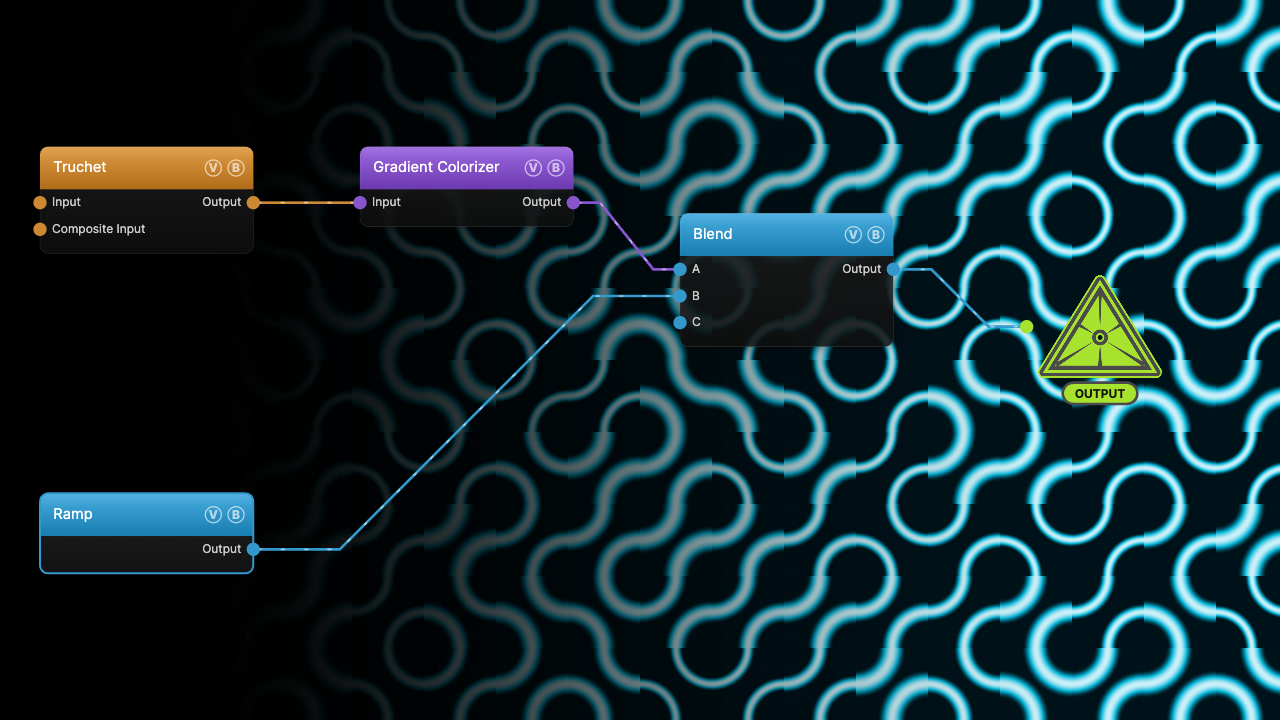
The image on the right is the example patch itself — drag and drop it onto the app (or load it with File → Load) to open the full graph. A horizontal Ramp multiplies into a colorized Truchet pattern, fading it out toward the left.
Inputs and outputs
| Port | Type | Purpose |
|---|---|---|
| Output | Any | Carries both representations. A Texture input downstream reads the gradient image; a Float input reads the 0-to-1 number. |
That number is the same envelope that scrolls the texture — the value Anim Speed, Offset, and Loop Mode produce between 0 and 1. Wire the output into an image chain and you get a gradient; wire it into a value chain and you get an animatable scalar. The node has no inputs at all.
Parameters
Shape
- Direction — Horizontal (default), Vertical, Radial (out from the centre), Angular (sweeping around the centre), or Diagonal.
- Color A (default
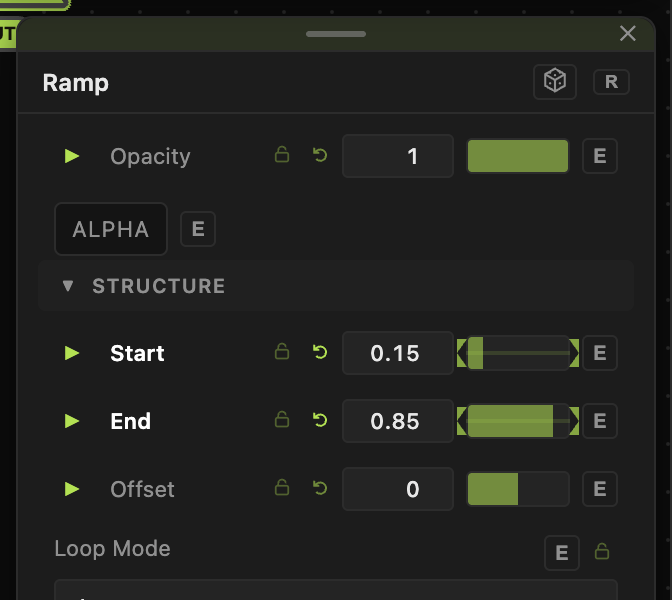
#000000) — the colour at value 0. Color B (default#ffffff) — the colour at value 1. - Start / End (0–1, defaults 0 and 1) — where along the axis the ramp begins and finishes. Outside that band the output holds at the endpoint colour, so narrowing the band makes a sharper transition.
- Feather (0–1, default 0) — eases the two knees of the ramp, blending the straight line toward an S-curve. 0 is linear, 1 is fully smooth.
- Repeat (1–16, default 1) — tiles the ramp across the axis, producing a repeating sawtooth.
- Invert — swaps the two ends.
Motion
- Anim Speed (−10 to 10, default 0) — scrolls the ramp. At 0 the ramp is static and Offset sets its position directly.
- Offset (−1 to 1, default 0) — the starting phase. With Anim Speed at 0 this is the whole position control.
- Loop Mode — Loop restarts each cycle (a sawtooth), Once (hold at 1) runs up to 1 and stays there, Ping-Pong runs 0 to 1 and back.
Every slider has a per-parameter animation bar, so any of these can be animated, audio-driven, or MIDI-mapped — see Parameters and Controls.
Examples
Wipe — Direction Horizontal, Feather 1, Start 0.15, End 0.85, into a Blend input on Multiply. Animate Offset and the wipe travels across the frame.
Vignette — Direction Radial, Invert on, into a Blend input on Multiply. Start and End control how tight the falloff is.
Stripes — Repeat 8, Feather 0. The sawtooth reads as hard bands; add Feather to soften them into a corduroy gradient.
Troubleshooting
The gradient is a flat colour — Start and End are probably equal or reversed. When the band collapses the shader falls back to a hard edge at Start.
Offset does nothing — it only positions the ramp while Anim Speed is 0. Once the ramp is scrolling, the animated phase takes over and Offset becomes the starting point of that scroll.
Repeat makes the gradient look broken — a repeated ramp jumps from 1 back to 0 at each tile boundary. That discontinuity is the sawtooth; use Ping-Pong on a single tile if you want a continuous back-and-forth instead.