3D & SimulationSurface Operators
Image Plane
Turns a texture into an aspect-correct plane in 3D, unlit by default, with sprite-sheet playback.
The Image Plane node puts a picture into the scene as a flat quad.
- Blend Mode, Alpha, Brightness, Tint
- Lit, Billboard, Double Sided
- A sprite-sheet block
- Found in the node graph under Surfaces → Geometry
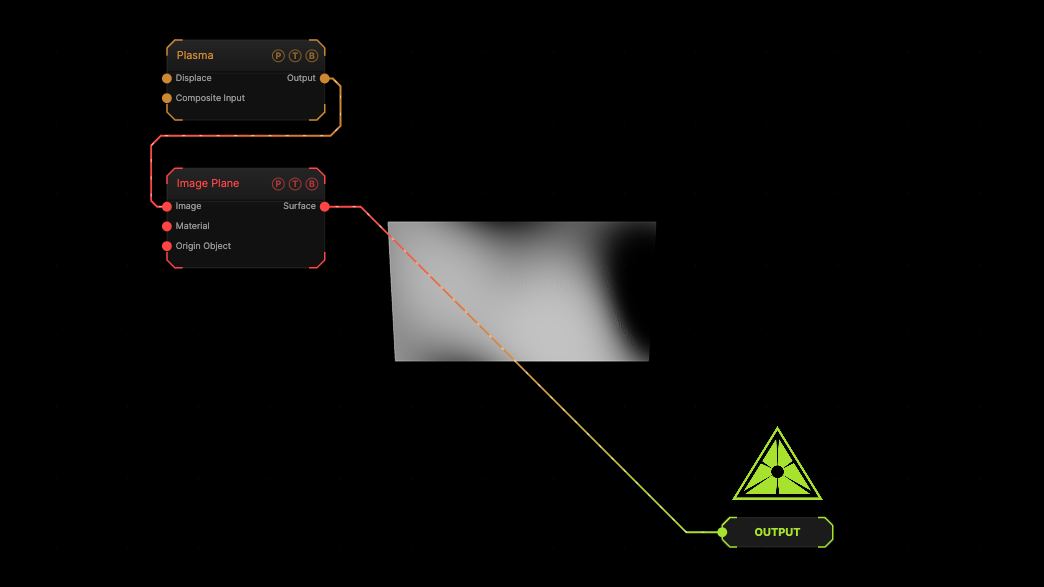
The image on the right is the example patch itself. Drag and drop it onto the app, or load it with File → Load, to open the full graph. A Plasma generator on the plane.
Inputs and outputs
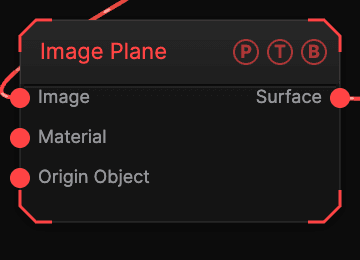
| Port | Type | Purpose |
|---|---|---|
| Image | Texture | The picture. |
| Material | Surface | Optional material when Lit is on. |
| Surface | Surface | The plane. |
Parameters
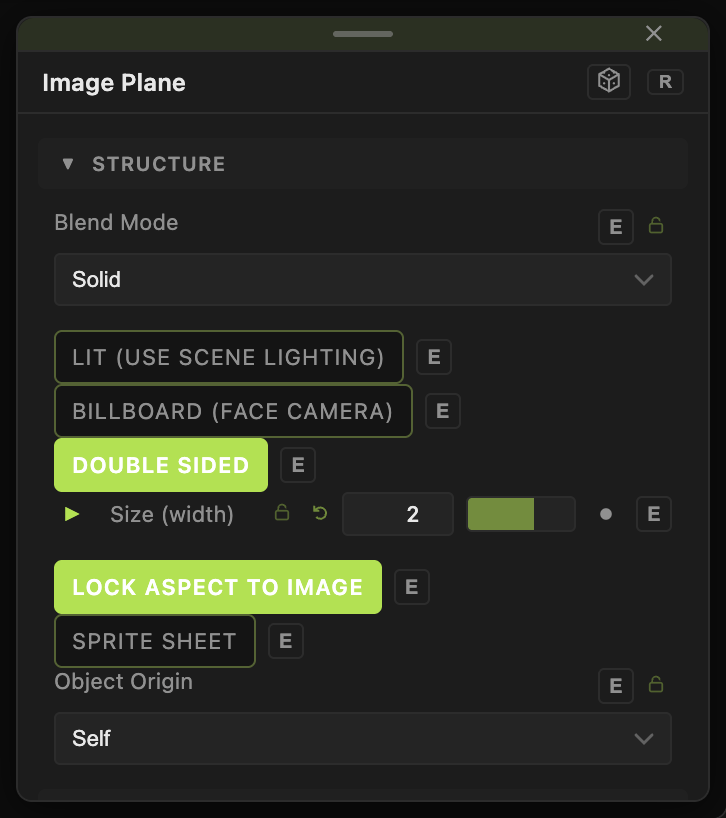
- Blend Mode — Solid (default), Blended, Additive, Alpha; Alpha (0–1), Brightness (0–4), Tint.
- Lit (use scene lighting) (default off), Billboard (face camera) (default off), Double Sided (default on).
- Size (width) (default 2), Lock Aspect to Image (default on), Height (when unlocked).
- Sprite Sheet (default off) with Sprite Columns / Rows (default 4), Frame Count (0 = all), Playback (Cycle, Ping-Pong, Random, Still Frame), Sprite FPS (default 12), Still Frame Index.
- Position X / Y / Z, Rotate Heading / Pitch / Roll, Scale X / Y / Z, Uniform Scale — the standard transform block.
Every slider has a per-parameter animation bar, so it can be animated, audio driven, or MIDI mapped.
Examples
Video wall — a Load Video into Image, cloned with a Grid Cloner.
Troubleshooting
Two different Opacity controls — the plane's Alpha and a Material's Opacity are separate; neither is the node header opacity.