3D & SimulationSurface Operators
Extrude
Turns a Vectorizer's paths into an extruded mesh with bevels.
The Extrude node gives depth to vector outlines from the Vectorizer.

- Depth, Bevel, Curve Segments
- Found in the node graph under Surfaces → Geometry
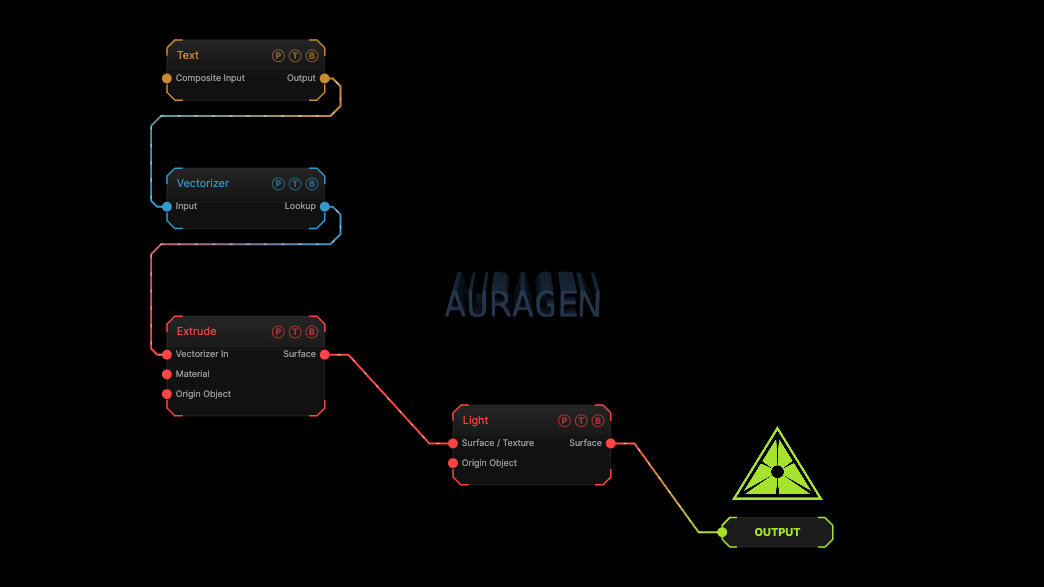
The image on the right is the example patch itself. Drag and drop it onto the app, or load it with File → Load, to open the full graph. A Text generator, vectorized and extruded.
Inputs and outputs
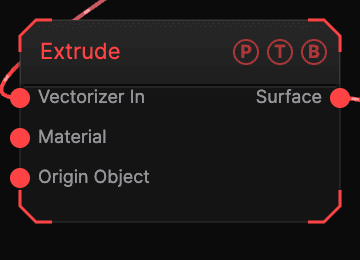
| Port | Type | Purpose |
|---|---|---|
| Vectorizer In | Texture | The Vectorizer output. |
| Material | Surface | A Material for the solid. |
| Origin Object | Surface | A Null to parent to. |
| Surface | Surface | The extruded mesh. |
Parameters
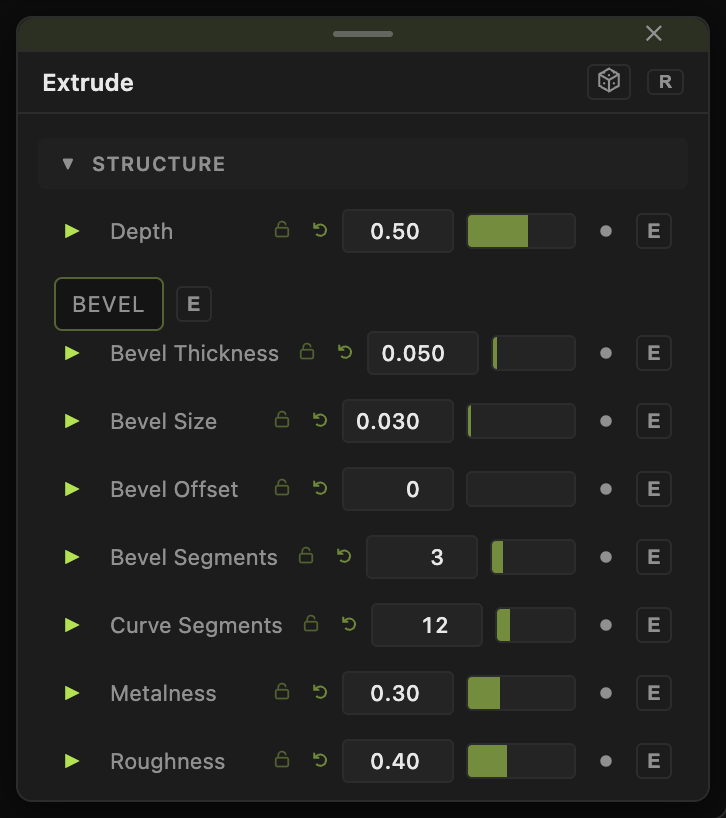
See the node panel for the full list: Depth, Bevel, and Curve Segments are the main controls, with the standard transform block.
Every slider has a per-parameter animation bar, so it can be animated, audio driven, or MIDI mapped.
Examples
3D logo — a Text generator into Vectorizer into Extrude, with a metal Material.
Troubleshooting
Nothing extrudes — the input must be a Vectorizer output, not a plain image.