Boolean
Cuts, fuses, intersects, or shatters a mesh with an operand mesh, with a repeatable cutter transform, a cut material, and a cost readout.
The Boolean node combines two meshes as solids. Subtract one from the other, fuse them, keep only the overlap, or split the host into pieces along the operand.

- Four Operation modes: Difference, Union, Intersect, Shatter
- The cutter can be repeated along a step vector, and its cut faces can take their own Cut Material
- Found in the node graph under Surfaces → Topology
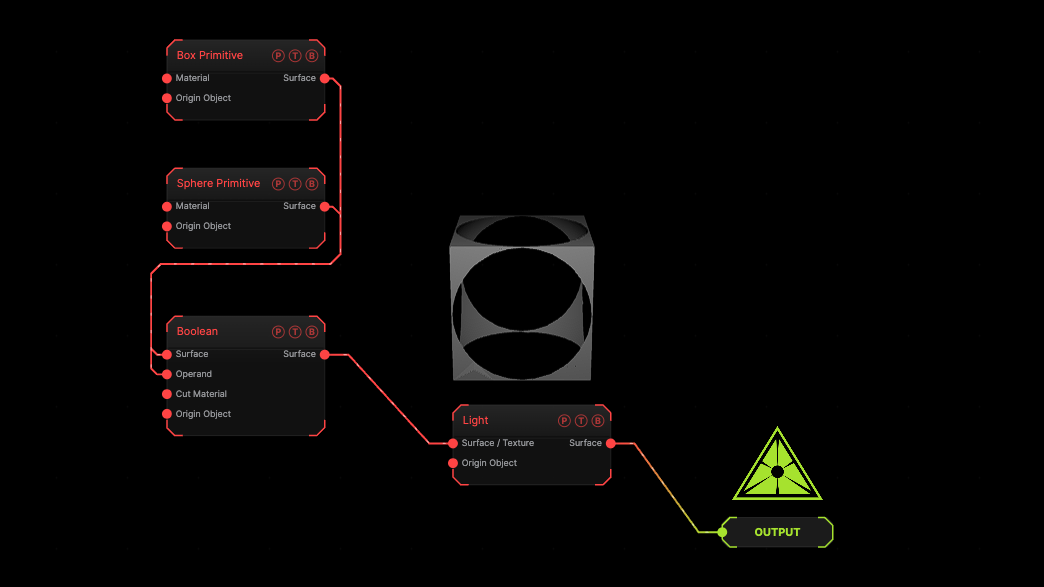
The image on the right is the example patch itself. Drag and drop it onto the app, or load it with File → Load, to open the full graph. A sphere is cut out of a box with the default Difference.
Inputs and outputs
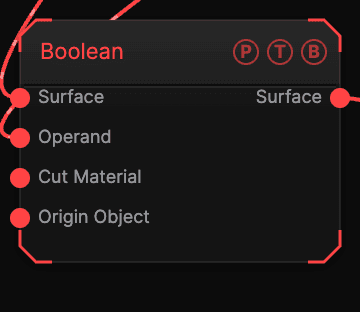
| Port | Type | Purpose |
|---|---|---|
| Surface | Surface | The host mesh, A. |
| Operand | Surface | The cutter, B. A primitive, a model, a cloner's whole array, or a flat sheet such as a Plane. |
| Cut Material | Surface | A Material for the faces the cut creates. |
| Origin Object | Surface | A Null to parent the result to. |
| Surface | Surface | The result. |
Parameters
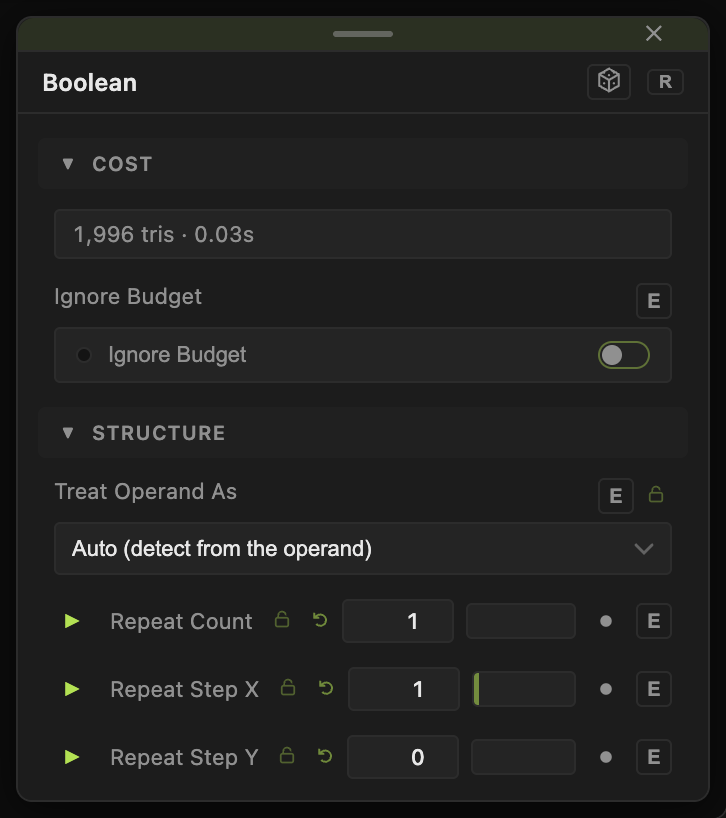
- Operation — Difference (cut away) (default), Union (fuse together), Intersect (keep overlap), Shatter (keep both sides). Shatter splits the host along the operand instead of removing anything; wiring a sheet operand switches to it automatically.
- Treat Operand As — Auto (default, measured from the operand geometry), Solid, or Surface (open sheet). A sheet dissects; a solid carves.
- Repeat Count (default 1) with Repeat Step X / Y / Z (default 1, 0, 0), Repeat Rotate X° / Y° / Z°, Repeat Scale and Repeat Scale X / Y / Z — copies of the cutter along a step, each rotated and scaled a bit more.
- Apply To — whether the cut transform below moves the Operand (B) (default) or the Surface (A).
- Cut Position X / Y / Z, Cut Heading / Pitch / Roll, Cut Scale — a transform for the cutter, drawn as an outline in the viewport.
- Close Holes (default on) — fills open boundaries in the result.
- Cut Material Mode — Replace or Blend Base: whether the Cut Material replaces the host material on the new faces or blends with it.
- Shading — Keep Source, Flat, or Smooth normals on the result.
- Cost — a read-only estimate of the work, with Ignore Budget to run past the triangle ceiling.
The positions, rotations, and scales carry a per-parameter animation bar.
Examples
Drilled block — Box host, Cylinder operand, Repeat Count 4, Repeat Step X 0.5.
Shatter — any model as host, a Plane as operand, Operation Shatter, then an Island Cloner to push the pieces apart.
Fused blob — two spheres, Operation Union, Shading Smooth.
Troubleshooting
Nothing is cut — the operand does not overlap the host. Move it with the Cut Position controls; the outline in the viewport shows where it is.
The cut faces look wrong — set Treat Operand As to Solid or Surface by hand when Auto guesses wrong.