3D & SimulationSurface Operators
Mesh
Loads an OBJ, FBX, or GLB model, with animation playback, part selection, and smoothing controls.
The Mesh node brings a model file into the chain.
- 3D Model (OBJ/FBX/GLB), Part, Fit to Unit Size
- Play Animation, Animation Clip, Animation Speed
- Smoothing Angle and Hard Edge Angle control the normals
- Found in the node graph under Surfaces → Geometry
Inputs and outputs
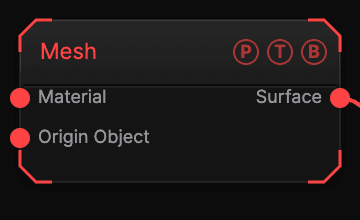
| Port | Type | Purpose |
|---|---|---|
| Material | Surface | A Material for the model. |
| Origin Object | Surface | A Null to parent to. |
| Surface | Surface | The loaded mesh. |
Parameters
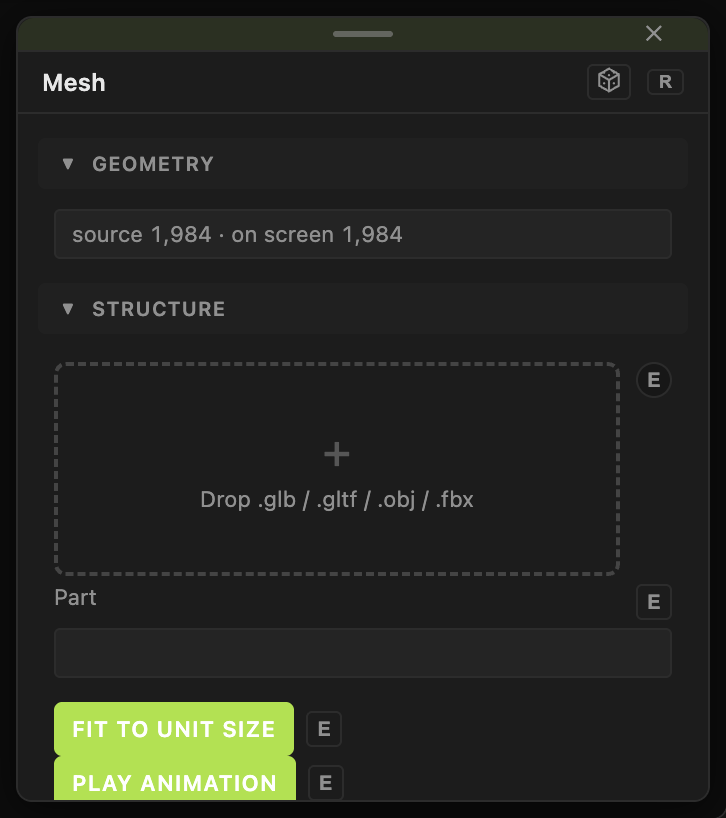
- Polygons — a read-only count.
- 3D Model (OBJ/FBX/GLB) — the file. A multi-part model asks whether to import as one node or many; Part names the part this node holds.
- Fit to Unit Size (default on).
- Play Animation (default on), Animation Clip (default all clips), Animation Speed (0–4, default 1).
- Shading — Smooth (default) or Flat; Smoothing Angle (0–180, default 30); Double Sided (default on).
- Position X / Y / Z, Rotate Heading / Pitch / Roll, Scale X / Y / Z, Uniform Scale — the standard transform block.
Every slider has a per-parameter animation bar, so it can be animated, audio driven, or MIDI mapped.
Examples
Turntable — a loaded model, a Null as Origin Object with an animated Rotate Heading.
Troubleshooting
Deformers and the Material node do not apply to a rigged or animated model. Only a trailing run of Transform Deformers is folded in.