particleDRAW
A brush that paints particles — draw on the viewport and each stroke emits sprites that live, move, and fade on their own.
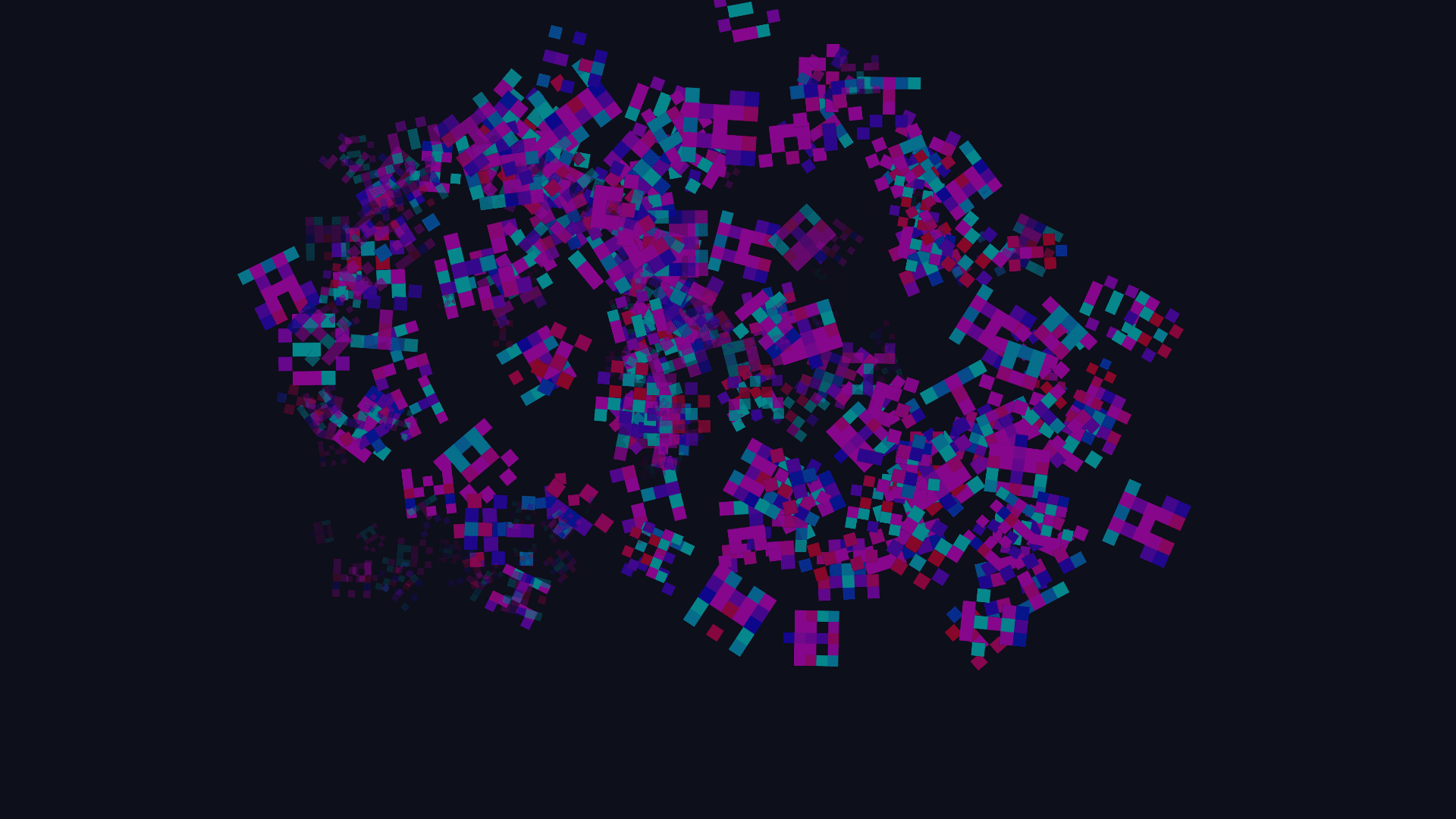
The particleDRAW node is a brush that emits particles. Draw on the viewport and each stroke spawns sprites that age, drift, rotate, and fade out on a life timer. Three texture inputs let the brush paint with images from anywhere else in the patch.
- One texture output; three optional texture inputs, one per sprite slot
- Two brush modes: Spray paints plain discs, Stamp paints sprites
- Spawn and despawn animations, gravity, rotation, and a built-in gradient tint
- Found in the node graph under Generators as particleDRAW
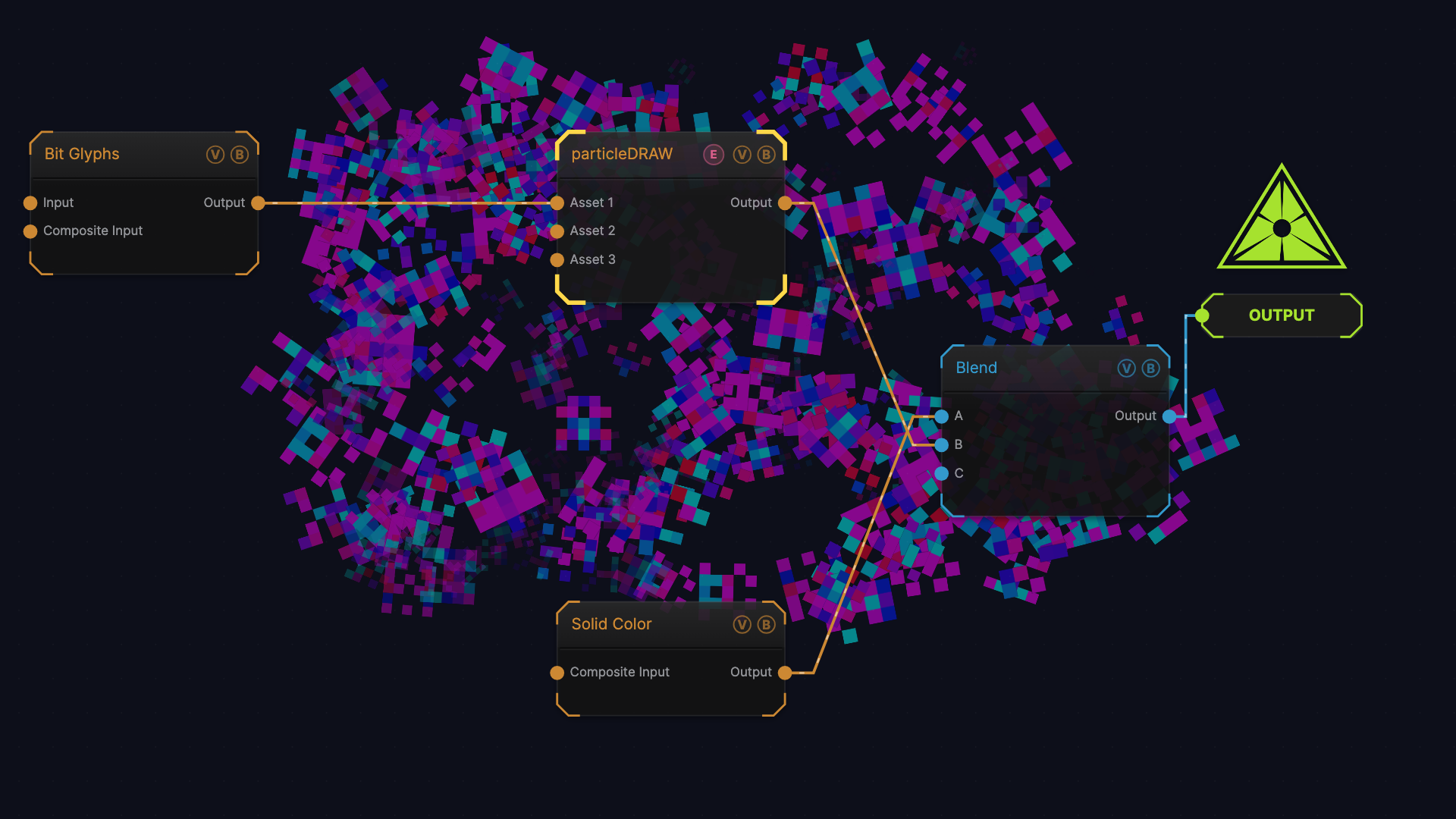
The image on the right is the example patch itself — drag and drop it onto the app (or load it with File → Load) to open the full graph. It wires a Bit Glyphs node into Asset 1 as a 4 × 4 sprite atlas, and composites the brush over a Solid Color background with a Blend node.
Drawing
Put a particleDRAW node in the chain that reaches the Output node, then press and drag on the viewport. Particles emit while the pointer is held, at the rate set by Asset Count.
Four keys act on the node while you work in the graph:
| Key | Action |
|---|---|
E | Reset — kills every live particle and clears the canvas |
F | Freeze or slow every live particle, per F Key Mode |
[ / ] | Brush size down / up (hold Shift for a larger step) |
The keys find the particleDRAW node from the selection, the Output node, or upstream of either, so you do not have to select it first.
With Draw on, touch input emits from every finger at once. The emission rate is divided between the active fingers, so five fingers paint the same total number of particles as one.
Inputs and outputs
| Port | Type | Purpose |
|---|---|---|
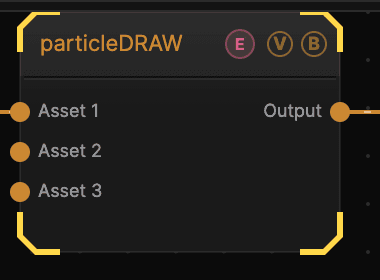
| Asset 1 / 2 / 3 | Texture | Sprite sheet for that slot. A wired port overrides the slot's image file |
| Output | Texture | The painted canvas, transparent where nothing has been drawn |
Each slot holds one sprite sheet, either dropped in as a file or wired to a port. Every particle picks one non-empty slot at random when it spawns, so three slots give one brush three families of sprite. Set the slot's Cols and Rows to the sheet's grid; leave both at 1 for a single image.
The output has no background. Composite it over something with a Blend node, as the example patch does, or wire it straight into the Output node for particles on transparency.
Brush modes
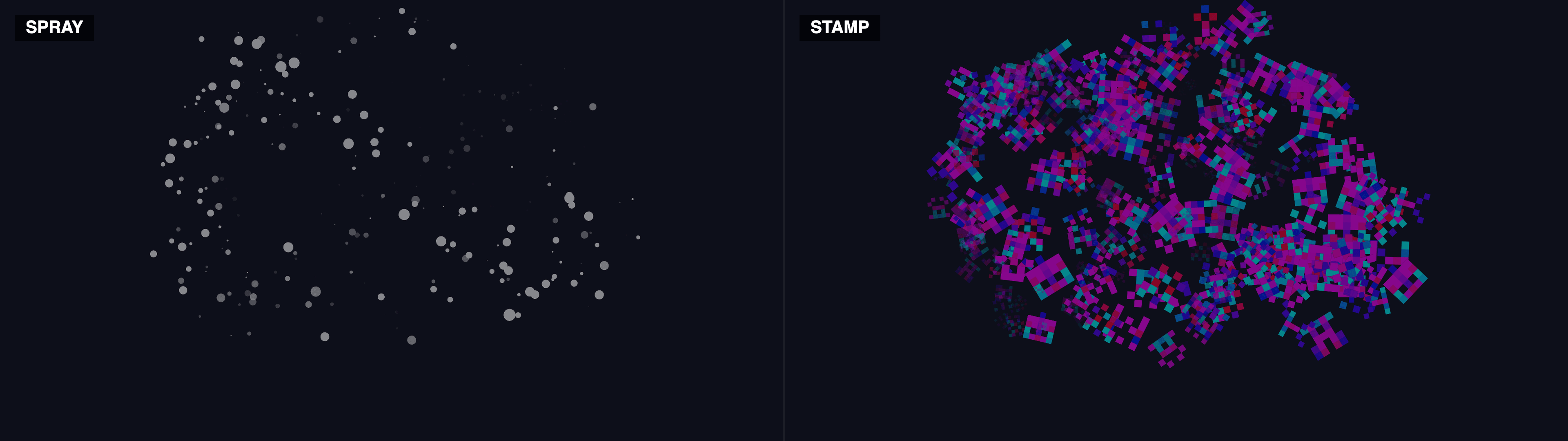
Spray draws solid circles and ignores the sprite slots entirely, whatever is wired. Stamp draws sprite cells and is the only mode that uses the slots. Both frames above come from the same patch and the same stroke.
Parameters
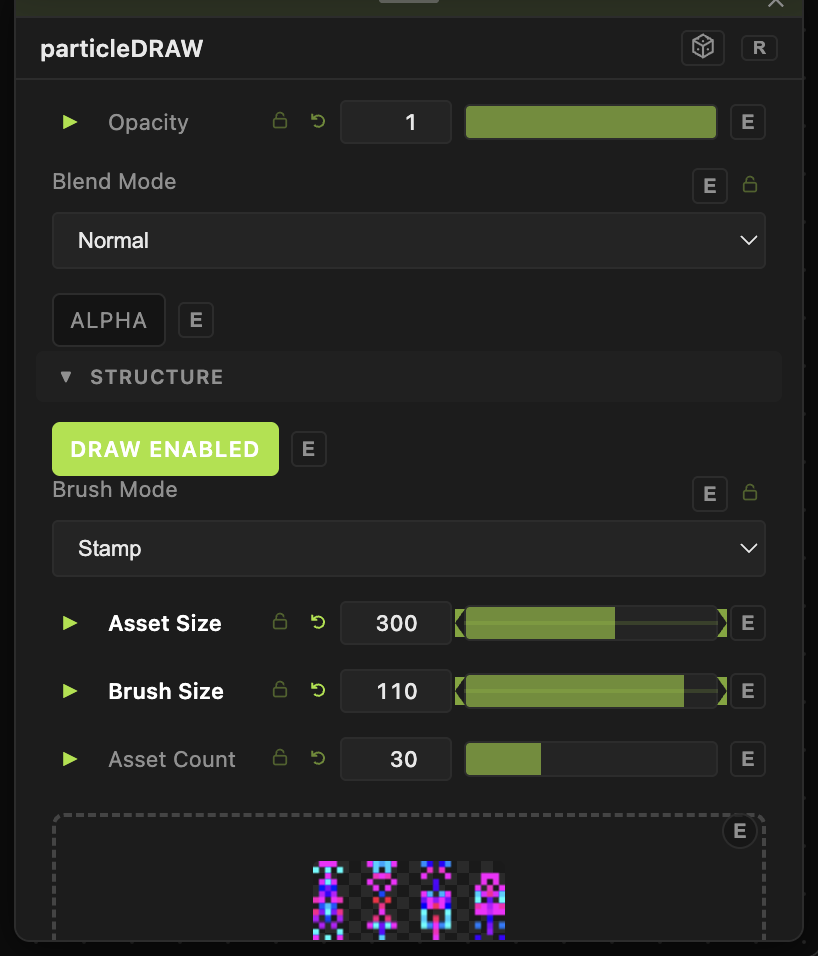
Opacity, Blend Mode, ALPHA — the standard operator header.
Structure
- Draw Enabled (default on) — the node's own emission gate. Turn it off to hold a painting still while you keep working with the pointer.
- Brush Mode — Spray or Stamp (default).
- Asset Size (10–3000, default 200) — sprite scale, as a percentage.
- Brush Size (2–200, default 60) — the brush footprint. This is what
[and]change. - Asset Count (0–100, default 30) — particles emitted per second while the pointer is down.
- Asset Size Random (0–100, default 0) — per-particle size spread.
- Particle Life (0–10 s, default 3) — how long each particle lives before it despawns.
Spawn and despawn
- Spawn Mode (default Snap (instant)) — Snap, Fade In, Grow In, Fade + Grow, Implode (anti-poof), or Bounce In (cartoony).
- Spawn Speed (0–1, default 0.3) — the fraction of life given to the spawn animation. 0.1 is snappy, 0.6 is a long ease-in.
- Despawn Mode (default Shrink Out) — Snap, Fade Out, Shrink Out, Fade + Shrink, Explode (poof), or Pop (cartoony).
- Despawn Speed (0–1, default 0.7) — the fraction of life that runs before despawn starts, so higher is quicker. At 0.9 only the last tenth of life is animated; at 0 the whole life is one long exit.
Motion
- Rotation Speed (0–0.01, default 0) — per-particle spin. Direction is randomised per particle; the slider sets the rate live, so turning it up affects particles already on screen.
- Scale Speed (0–10, default 0) — growth or shrink over life.
- Gravity X / Gravity Y (−200 to 200, default 0) — constant acceleration on every particle.
Drop shadow
Drop Shadow (default off), Shadow Color (default black), Shadow Blur (0–64, default 8), Shadow Offset X / Shadow Offset Y (−64 to 64, default 4). Shadows from later particles fall on top of earlier ones, which keeps a dense stroke from melting into one blob.
Sprite slots
Each of the three slots has the same block:
- Asset N — the image file for the slot, when no port is wired.
- Cols N / Rows N (1–64, default 1) — the sheet's grid.
- Slot N Size (10–3000, default 100) — a percentage multiplier on Asset Size, so one slot can be bigger than another.
- Slot N Size Random (0–100, default 0) — added to Asset Size Random for that slot.
- Auto-Crop N (default on) — for wired slots, crops the read-back to the bounding box of non-empty content. This is what saves a sheet that arrives letterboxed inside a wider chain; without it the bars become part of the cells.
- Black as Alpha N (default off) — rewrites the slot's alpha from its brightest channel, so sprites exported on opaque black lose the black.
Shared across all three slots:
- Anim Speed (0–10, default 1) and Frame Mode — Random (Fixed), Random (Animated) (default), Sequential (Synced), or Per-Particle Loop.
- Color (default white) — multiplies the sprite.
Freeze and clear
- F Key Mode — Freeze (default) stops particles dead; Slow cuts them to Slow Speed (1–50, default 8) percent of their velocity. The
Fkey toggles whichever is selected. - Clear — a button that kills every particle and clears the canvas, the same as
E.
Gradient tint
Gradient Tint is on by default, with the stops edited inline under the parameter list.
- Tint Blend — Multiply, Tint, Overlay, Screen, Color (default), Hue, or Replace.
- Projection — the per-particle signal that picks a colour: Life (default), Random, Horizontal, Vertical, Radial, or Angular.
- Gradient Type — Linear (default), Smooth, Cosine, or Stepped.
- Gradient Width (0.1–10, default 1), Gradient Offset (−1 to 1, default 0), Mirror Gradient — reshape the sampled range.
Every slider carries a per-parameter animation bar, so any of these can be animated, audio-driven, or MIDI-mapped — see Parameters and Controls.
Troubleshooting
Nothing paints — check three gates in order: Draw Enabled on the node, the Draw toggle in Perform mode, and whether the node actually reaches the Output node.
The sprites do not appear, just plain circles — Brush Mode is on Spray. Only Stamp reads the sprite slots.
Every sprite has a black box behind it — the sheet has no alpha channel. Turn on Black as Alpha for that slot.
The sprite sheet is cut into the wrong cells — check Cols and Rows against the sheet's real grid, and leave Auto-Crop on so padding around the artwork is not counted as cells.
Particles stop appearing during a long session — the system holds 30,000 particles at once and refuses new ones at the cap. Shorten Particle Life or lower Asset Count.