Animation & ControlModifiers
Kinect Joint
Drives a parameter from one of 25 tracked skeleton joints on one axis, in camera-space metres.
The Kinect Joint node outputs the position of a body joint. One axis per node; use three nodes for X, Y, and Z.
- Joint, Axis, Body
- Scale, Offset, Smoothing; holds its last value when the body leaves
- Found in the node graph under Modifiers → Value & Math
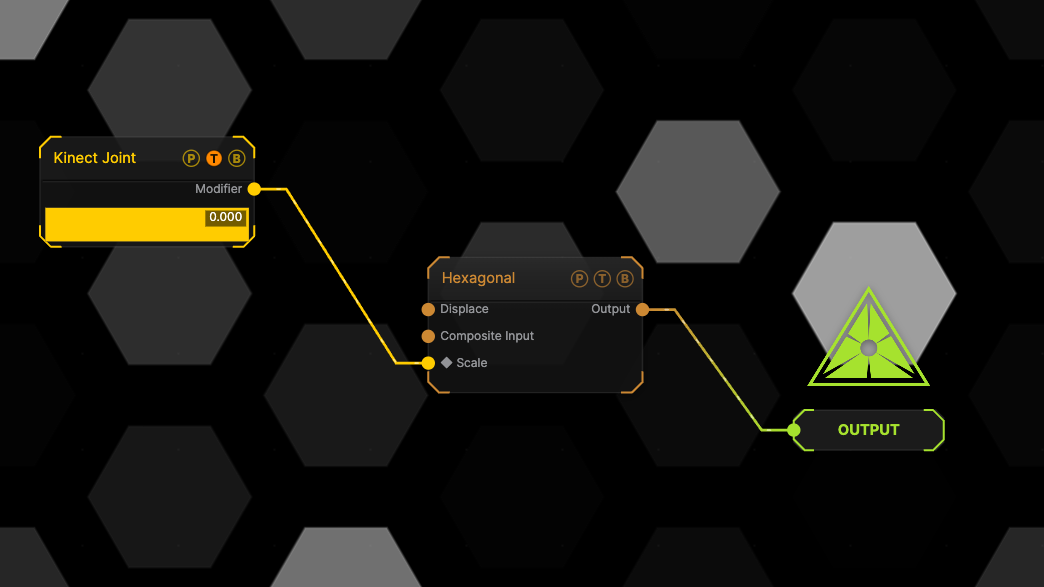
The image on the right is the example patch itself. Drag and drop it onto the app, or load it with File → Load, to open the full graph. The node wired to a generator's Scale; with no sensor connected it holds its last value.
Inputs and outputs

| Port | Type | Purpose |
|---|---|---|
| Modifier | Modifier | Drag it onto a parameter row, or wire it into another modifier's input. |
Parameters
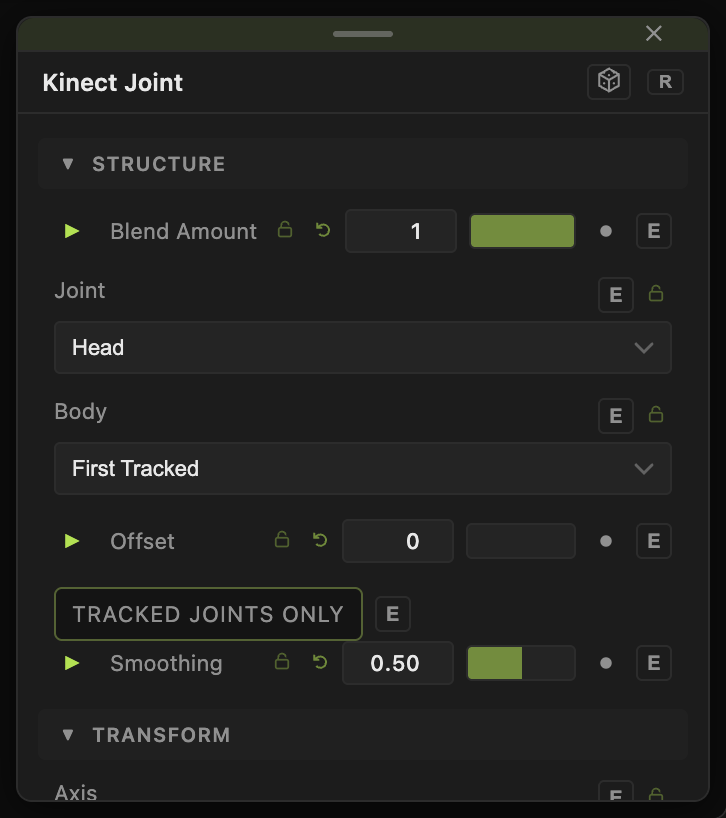
- Joint — one of the 25 skeleton joints (default 3, the head).
- Axis — X (left / right) (default), Y (down / up), Z (distance). Values are metres from the sensor.
- Body — First Tracked (default) or Body 1 to 6.
- Scale (−10 to 10, default 1), Offset (default 0).
- Tracked Joints Only (default off) — ignore inferred joints.
- Smoothing (0–0.99, default 0.5).
Every slider has a per-parameter animation bar and can itself be driven by another modifier.
Examples
Hand height — Joint Hand Right, Axis Y, Scale 0.5, Offset 0.5, bound to a generator Scale.
Troubleshooting
Nothing moves — a Kinect Source with a connected device must be in the patch and body tracking on. See Input Sources.