Kinect SDF
A live Kinect depth frame as solid, marchable SDF geometry, with no bake and no CPU work per frame.
Kinect SDF turns the depth stream from a Kinect Source into a solid you can union, repeat, or shell like any primitive. The sensor frame is sampled once per march step, so it stays live at sensor rate.
- Input: the Kinect output of a Kinect Source node
- Solid Thickness (m) turns the depth surface into a slab
- Found under SDF → Model in the operators panel (desktop only, needs a connected Azure Kinect or Kinect v2)
Inputs and outputs
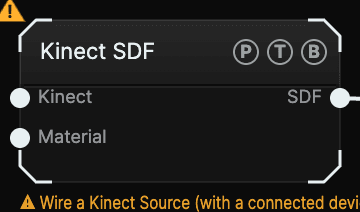
| Port | Type | Purpose |
|---|---|---|
| Kinect | Kinect | The Kinect output port of a Kinect Source, not its Depth texture. |
| Material | SDF | An SDF Material for the captured body. |
| SDF | SDF | The live field. |
Until the device delivers a frame the node outputs an empty field and shows Wire a Kinect Source (with a connected device). A Combine above it keeps rendering the rest of the scene.
Parameters
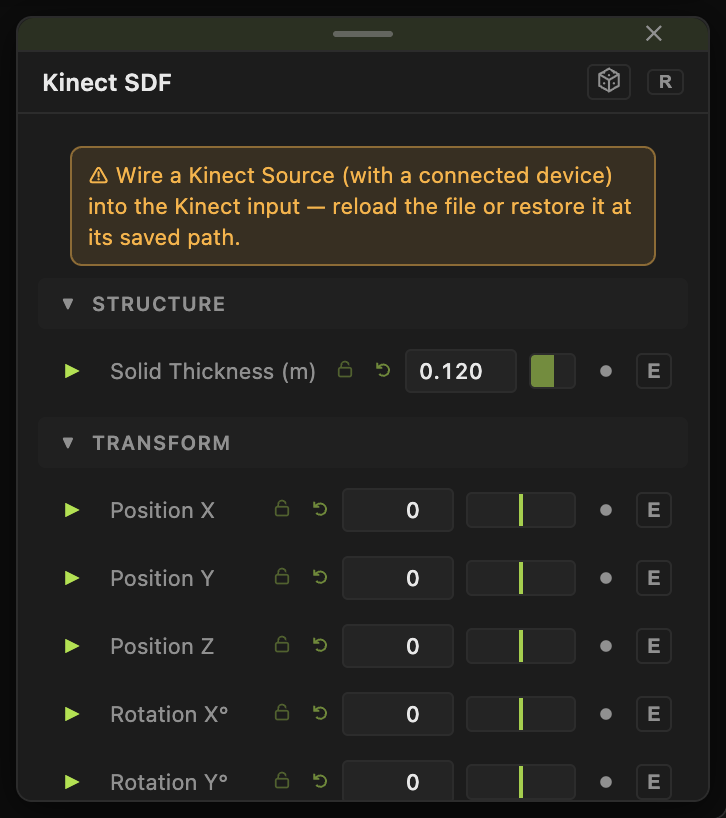
- Position X / Y / Z, Rotation X° / Y° / Z°, Scale — placement. Local units are metres, so Scale 1 is life size.
- Solid Thickness (m) (0.005–2, default 0.12) — how far behind the depth surface the solid extends.
- Pivot — Capture Center (default) pivots the transform on the middle of the captured body, so scaling shrinks it in place and rotating spins it. Sensor pivots on the camera apex instead.
There is no Taper, Wobble, Round, or Shell block here on purpose: those act before projection and would warp the sensor rays rather than the body.
Examples
Body in a lattice — Kinect SDF into SDF Combine Smooth Union with a Gyroid primitive.
Mirror hall — Kinect SDF into an SDF Effector set to Kaleidoscope.
Troubleshooting
The body sits off to one side when I rotate — set Pivot to Capture Center.