SDF Material
PBR and stylized shading for SDF shapes, with texture map slots, iridescence, rim light, subsurface, and raymarched reflections.
SDF Material shades the shapes it is wired into. It carries the same base values as the surface Material plus march-only extras: Toon, Matcap, Gooch, and Hologram shading, iridescence, rim light, subsurface scattering, and true reflections.
- Five Shading models with PBR values underneath
- Six texture map inputs plus a Mapping slot; maps project triplanar because an SDF has no UVs
- Found under SDF → Shade in the operators panel
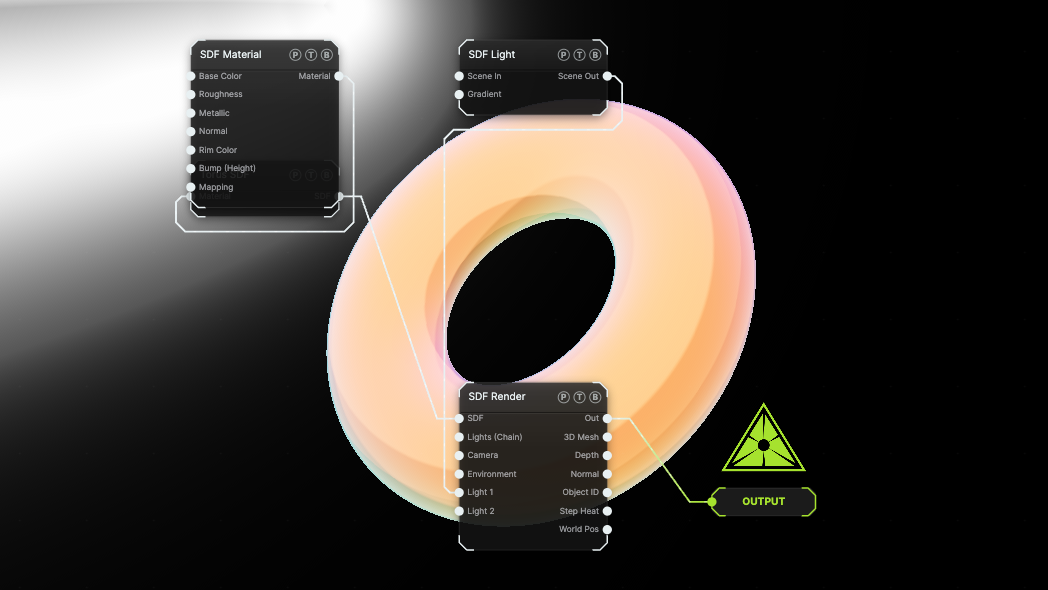
The image on the right is the example patch itself. Drag and drop it onto the app, or load it with File → Load, to open the full graph. A Torus gets an orange Toon material with Iridescence and Rim Light on.
Inputs and outputs
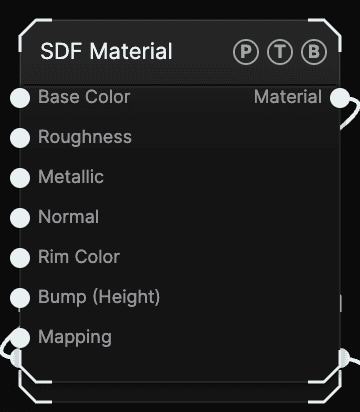
| Port | Type | Purpose |
|---|---|---|
| Base Color | Texture | Colour map. Multiplies Base Color. |
| Roughness, Metallic | Texture | Per-pixel roughness and metalness. |
| Normal | Texture | A tangent normal map, scaled by Normal Strength. |
| Rim Color | Texture | A gradient or image draped across the rim by the view angle, tinted by Rim Color. |
| Bump (Height) | Texture | A height map, converted to a normal map by Bump Strength. A wired Normal wins over it. |
| Mapping | Surface | A surface Mapping node. Its Scale and Rotation steer the triplanar projection. |
| Material | SDF | Wire it into a shape's Material port. |
Parameters
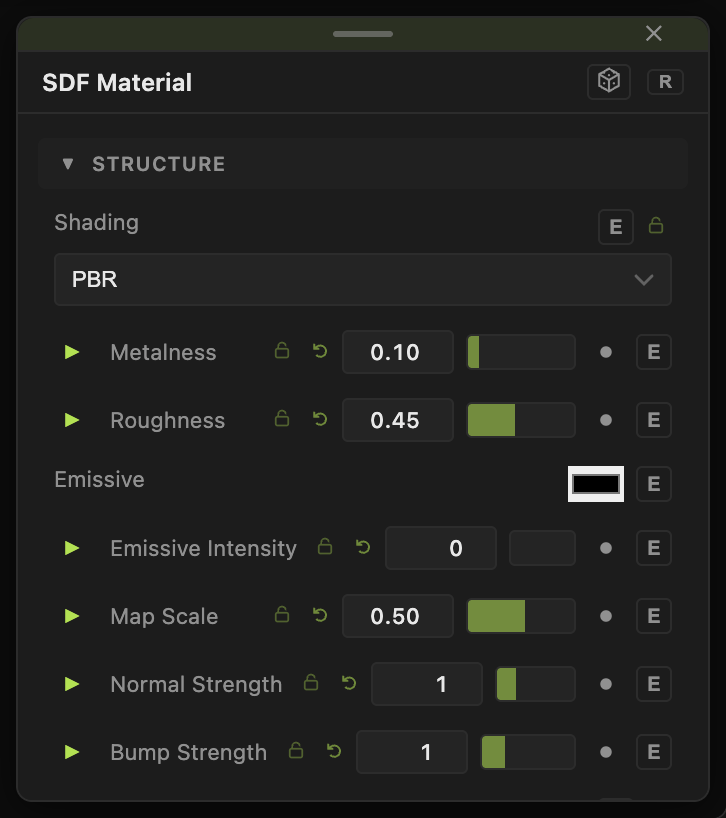
- Shading — PBR (default), Toon, Matcap, Gooch, or Hologram. The stylized modes only apply to the raymarched image; the 3D Mesh output always uses the PBR values.
- Base Color (default
#b8b8b8), Metalness (0–1, default 0.1), Roughness (0.02–1, default 0.45), Specular (0–1, default 0.5). - Emissive colour and Emissive Intensity (0–20, default 0).
- Map Scale (0.02–8, default 0.5) — size of the triplanar projection. Normal Strength and Bump Strength (0–4, default 1).
- Map Anchor — Relative (Baked to Shape) keeps maps fixed to the shape as it moves; Absolute (World) leaves them in world space so the shape slides through the texture.
- Iridescence toggle with Irid Level, Irid Phase, Irid Period, and Irid Spread Start / Full, a rainbow band driven by the surface angle.
- Rim Light toggle with Rim Color, Rim Intensity (0–8, default 1), and Rim Tightness (0.5–12, default 3).
- Subsurface toggle with SSS Color, SSS Intensity, and SSS Depth: light bleeds through thin parts toward the key light.
- Reflections toggle with Reflect Intensity (0–1, default 0.5): one true secondary bounce off other geometry.
- Cell Hue Vary and Cell Bright Vary (0–1, default 0) — per-cell colour variation after a Repeat effector.
Hologram adds Scanline Frequency / Speed / Strength, Fresnel Power, Fill Brightness, Edge Brightness, Flicker Amount, and Flicker Speed.
Every float has a per-parameter animation bar. See Parameters and Controls.
Examples
Clay preview — Shading Matcap. No lights needed.
Soap bubble — Sphere with Shell 0.02, material with Iridescence on, Irid Period 0.5, Roughness 0.05.
Wax — Subsurface on, SSS Color warm, SSS Depth 0.5.
Troubleshooting
Reflections turned the frame black for a moment — enabling Reflections compiles a new program once. It is free while off.
Textures swim when the shape moves — set Map Anchor to Relative.