SDF Convert
The bridge between flat and solid fields — Extrude, Revolve, Helix Sweep, Cross Section, and Field to Solid.
SDF Convert turns a 2D field into a 3D solid, slices a solid back to an outline, or marches a scalar field's isosurface as geometry.

- Five operations behind one Operation dropdown
- Takes a 2D SDF from SDF 2D Shape, a solid for Cross Section, or an SDF Field for Field to Solid
- Found under SDF → Model in the operators panel
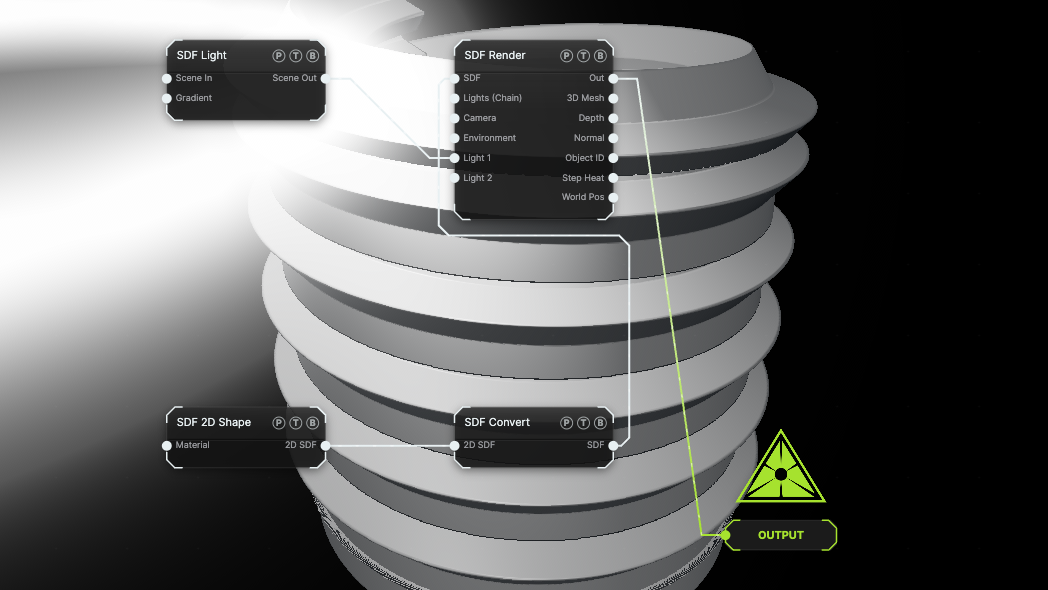
The image on the right is the example patch itself. Drag and drop it onto the app, or load it with File → Load, to open the full graph. A small Star is coiled around a helix with Helix Sweep.
Inputs and outputs
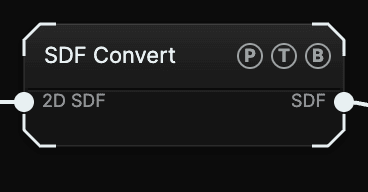
| Port | Type | Purpose |
|---|---|---|
| 2D SDF | SDF | The field to convert. Extrude, Revolve, and Helix Sweep expect a 2D shape; Cross Section expects a solid; Field to Solid expects an SDF Field. |
| SDF | SDF | The result. Cross Section outputs a 2D field, the other four output a solid. |
Parameters
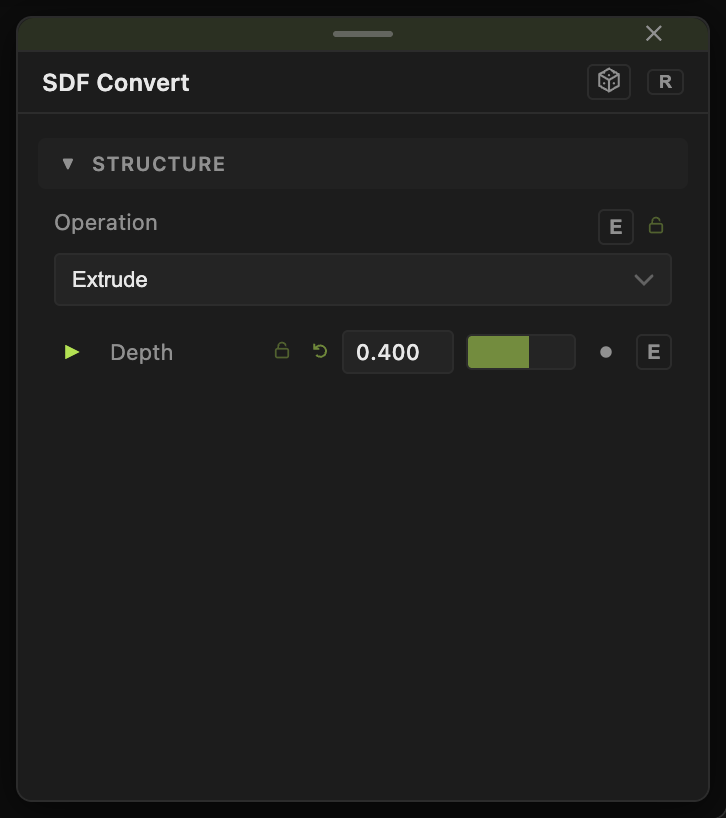
Operation picks the conversion. Default Extrude. Each operation shows only its own controls:
- Extrude — pushes the outline along Z. Depth (0.005–10, default 0.4).
- Revolve — spins the outline around the Y axis as a lathe. Axis Offset (0–10, default 0.6) moves the profile away from the axis before revolving; 0 makes a solid of revolution, higher values leave a hole in the middle.
- Helix Sweep — coils the outline along a helix around Y. Helix Radius (0.05–12, default 1.2), Pitch (rise/turn) (0.02–5, default 0.5), Turns (0=∞) (0–64, default 6).
- Cross Section — slices a solid with a plane and outputs the outline as a 2D field. Slice Offset (−10 to 10, default 0) moves the plane.
- Field to Solid — marches an SDF Field's isosurface. Iso Level (−2 to 2, default 0) picks which value becomes the surface; Distance Scale (0.02–2, default 0.5) tells the marcher how far it can step through the field.
All floats have a per-parameter animation bar. Animating Slice Offset scans through a solid; animating Iso Level grows or shrinks a field's blobs.
Examples
Coil spring — Circle, Scale 0.15, Helix Sweep with Turns 12 and Pitch 0.3.
Metaballs — an SDF Field set to Particle Field with a particle system wired in, then Field to Solid at Iso Level 0.
Contour scan — a Mandelbulb primitive into Cross Section, then a second Convert set to Extrude with a small Depth. Animate Slice Offset to sweep through the fractal.
Troubleshooting
Revolve makes a tube instead of a solid — lower Axis Offset to 0.
Helix Sweep looks like a solid cylinder — the profile is too large for the pitch. Shrink the 2D shape's Scale or raise Pitch.