Animation & ControlModifiers
Combiner
Combines two 0–1 signals with Add, Multiply, Min, Max, Average, or Subtract.
The Combiner node merges two modifiers into one value.

- Input A, Input B, Mode
- Found in the node graph under Modifiers → Value & Math
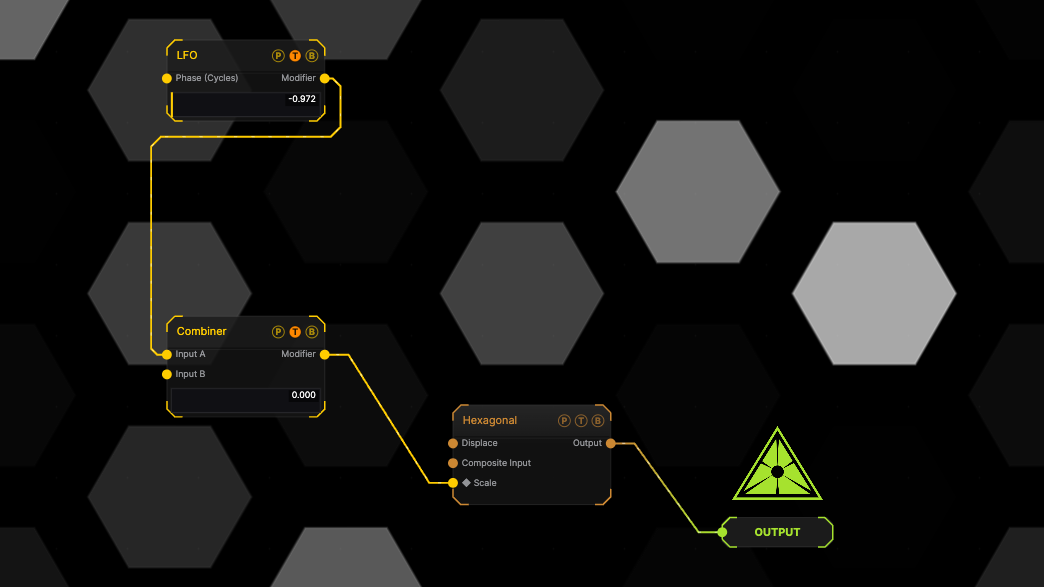
The image on the right is the example patch itself. Drag and drop it onto the app, or load it with File → Load, to open the full graph. The modifier drives the Scale of a Hexagonal generator; the meter on the node shows its live value.
Inputs and outputs

| Port | Type | Purpose |
|---|---|---|
| Input A | Modifier | The first signal. |
| Input B | Modifier | The second signal. |
| Modifier | Modifier | Drag it onto a parameter row, or wire it into another modifier's input. |
Parameters
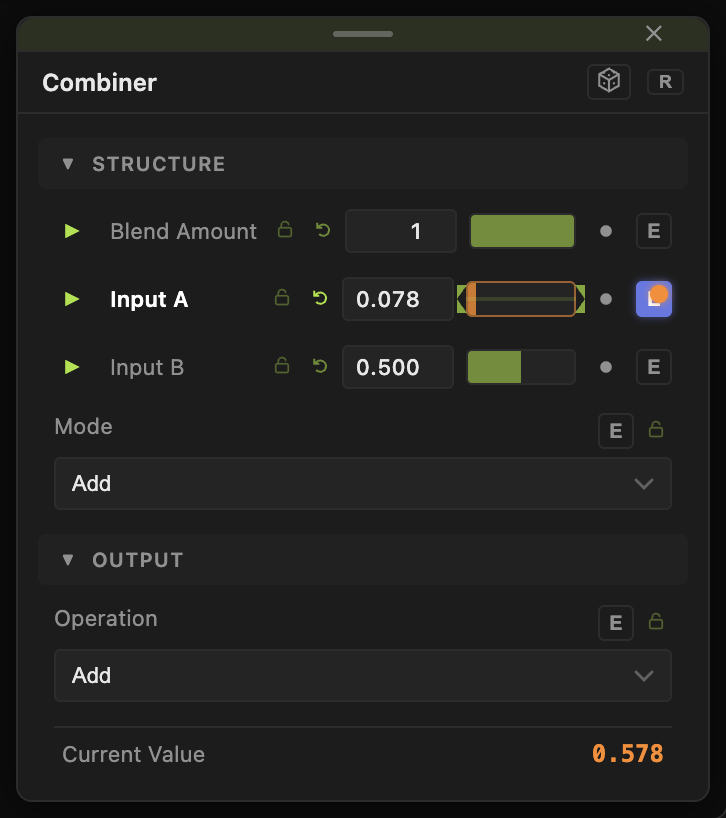
- Input A, Input B (0–1, default 0.5) — used when a port is not wired.
- Mode — Add (default), Multiply, Min, Max, Average, Subtract.
Every slider has a per-parameter animation bar and can itself be driven by another modifier.
Examples
Audio-gated LFO — an LFO into A, a Sound modifier into B, Mode Multiply.
Troubleshooting
The parameter does not move — check the bound parameter's Operation at the port. At Multiply against a value of 0 the result stays 0.